Monthly Rent Invoice Generator
Rent invoices for every tenant, sent on the first
One row per tenant in a spreadsheet, one example invoice, and SheetRender renders a separate PDF for each one. Put it on a monthly schedule and rent day stops being a task you remember.
Sound familiar?
- The first of every month means rebuilding the same invoice for every tenant, one at a time
- Chasing which tenants were already sent this month wastes as long as making the invoices did
- A rent roll already holds every figure you need, but nothing turns it into documents tenants can pay from
How SheetRender helps
Rent day without the rent-day work
Start from the invoice you already send
Upload one rent invoice you use today and SheetRender rebuilds it as a template, matching your rent roll columns to the right places on the page.
One tenant per row, one invoice each
Every row in your rent roll becomes its own PDF, named for the tenant and ready to email or download — amounts and dates formatted the way a tenant expects to read them.
Set it once and next month sends itself
Point SheetRender at a Google Sheets™ spreadsheet, pick a monthly cadence, and choose the tenant email column. Edits you make in that spreadsheet — a rent change, a new tenant, a move-out — are picked up before the next run.
See it in action
Your data becomes tenant rent invoices
| tenant | unit | monthly_rent | due_date |
|---|---|---|---|
| Dana Torres | Unit 2B | $1,450 | 2026-08-01 |
| Eli Nakamura | Unit 4A | $1,725 | 2026-08-01 |
| Fatima Haddad | Unit 1C | $1,300 | 2026-08-01 |
| Grant Mbeki | Unit 3D | $1,590 | 2026-08-01 |
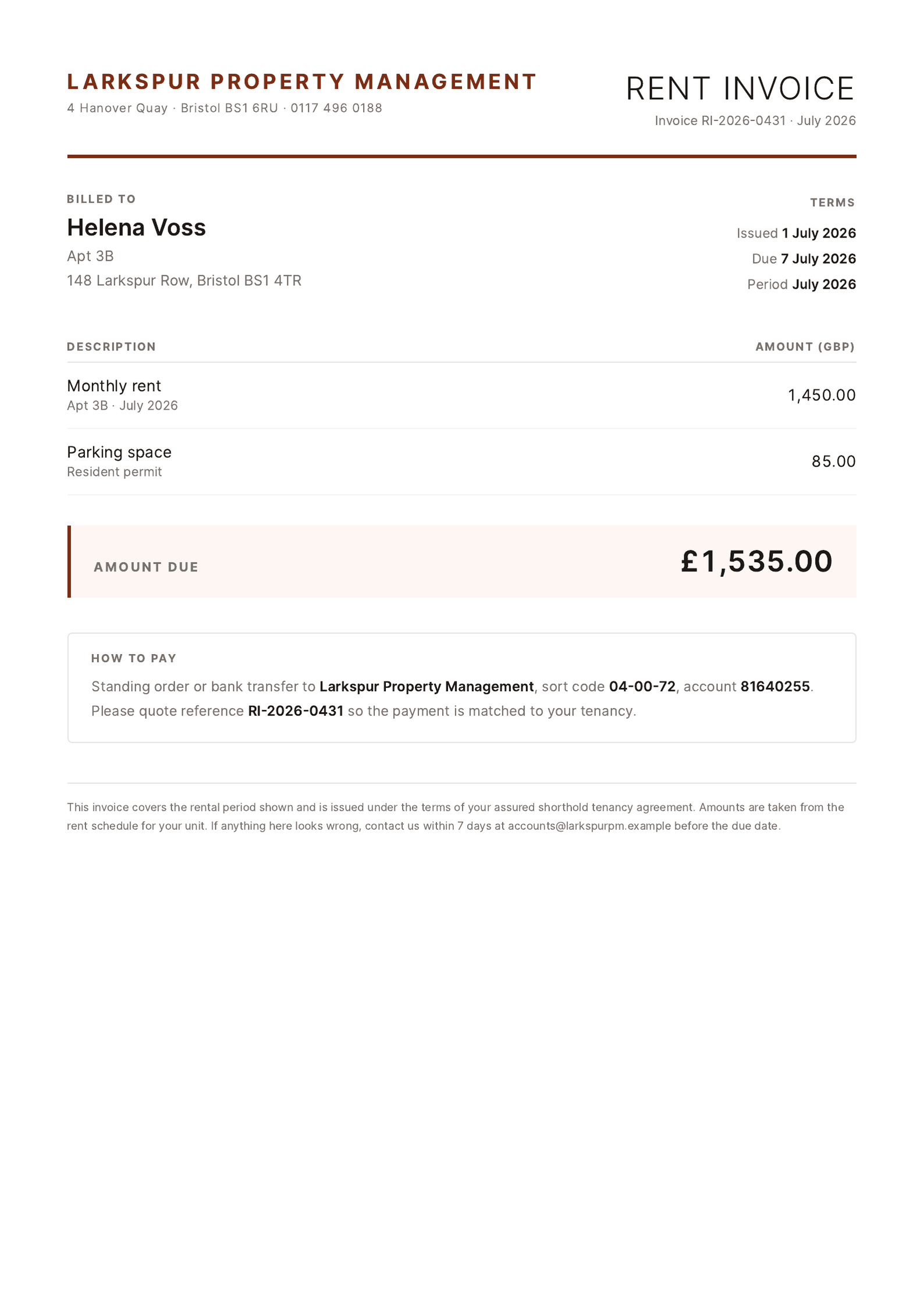
Each row becomes its own polished document, ready to download or email.
How to create rent invoices from a spreadsheet
- 1
Bring in the rent roll
Connect the Google Sheets™ spreadsheet holding your rent roll, or upload rent_roll_august.xlsx. One row per tenancy: tenant, unit, monthly_rent, due_date.
- 2
Upload one rent invoice
The invoice you sent last month works, as a PDF or a photo of a printed copy. SheetRender rebuilds that layout and puts your columns where a tenant expects to read them.
- 3
Check a real tenant in the preview
Dana Torres, Unit 2B, $1,450 due August 1. If amounts should carry cents or the date should read 1 August 2026, this is where you catch it.
- 4
Write the standing text once
Payment instructions, a late-fee note, your bank details: put them in the template and every invoice from now on carries them.
- 5
Generate the month
One PDF per tenancy, named from the tenant and unit columns. Email each to the tenant address column or download the whole set as a zip.
- 6
Let the first of the month run itself
Create a monthly schedule on the day you want it to fire and it repeats on that day at the hour you picked. A rent change, a new tenant, a move-out: edit the sheet and the next run reflects it.
Frequently asked questions
- Can rent invoices go out automatically every month?
- Yes. Connect the rent roll as a Google Sheets™ spreadsheet and create a monthly schedule on the day you want it to run; it fires on that day each month at the hour you set, renders every tenancy, and emails each tenant their own PDF. Schedules come with Starter at $19 a month.
- What happens when a rent amount changes?
- Edit the cell in your rent roll. The next run reads the sheet fresh, so the new figure appears without anyone touching the template, and a mid-month move-out is one deleted row.
- Do tenants get a payment link?
- No, SheetRender produces the invoice PDF and nothing else. Payment keeps happening where it happens now, whether that is a bank transfer or a tenant portal, and your instructions for it sit in the template on every invoice.
- Can I add a parking space or a utility charge for some tenants?
- Add a column for it and place it on the template once. Each row renders one invoice, so anything that varies by tenant has to live in that tenant row rather than somewhere else in the workbook.
- How do I stop a tenant being invoiced twice?
- Turn on "skip rows that were already processed" and pick the column that identifies a tenancy; a repeat run then skips anyone already covered. Each batch also shows in your history with its date and how many documents it produced, so you can see at a glance whether August has run.